Limited Time — Save 60% on Lifetime License | Unlock all features forever. Get the deal →
Trusted by 2M+ users worldwide

Edit PDF Text
in Seconds, Not Hours

Stop retyping PDFs from scratch. Click any text, edit it directly, save — done. No Acrobat, no upload required.

No credit card 100% offline & private 4.7/5 on Capterra
How to edit text in PDF documents offline using PDF Agile
2M+
Downloads
★★★★★
4.7/5 Rating (Capterra)
50+
Countries
60%
Save on Lifetime Deal

How to Edit PDF Text Without Acrobat or Online Tools

✗ Without PDF Agile

  • Retype entire documents just to fix a typo
  • Pay $23/mo for Adobe Acrobat you barely use
  • Upload sensitive files to random websites
  • Wait for online tools — then hit a paywall
  • Convert PDF → Word → edit → convert back

✓ With PDF Agile

  • Click the text, type your changes, done
  • One-time payment — no recurring fees
  • Everything runs offline on YOUR computer
  • Edit, save, share — in under 30 seconds
  • Edit PDFs directly — no conversion needed
Download Free Trial
No credit cardVirus-free & secure4.7/5 Rating

How to Edit PDF Text Directly Without Converting

Click, type, save — edit PDF text offline without format conversion.
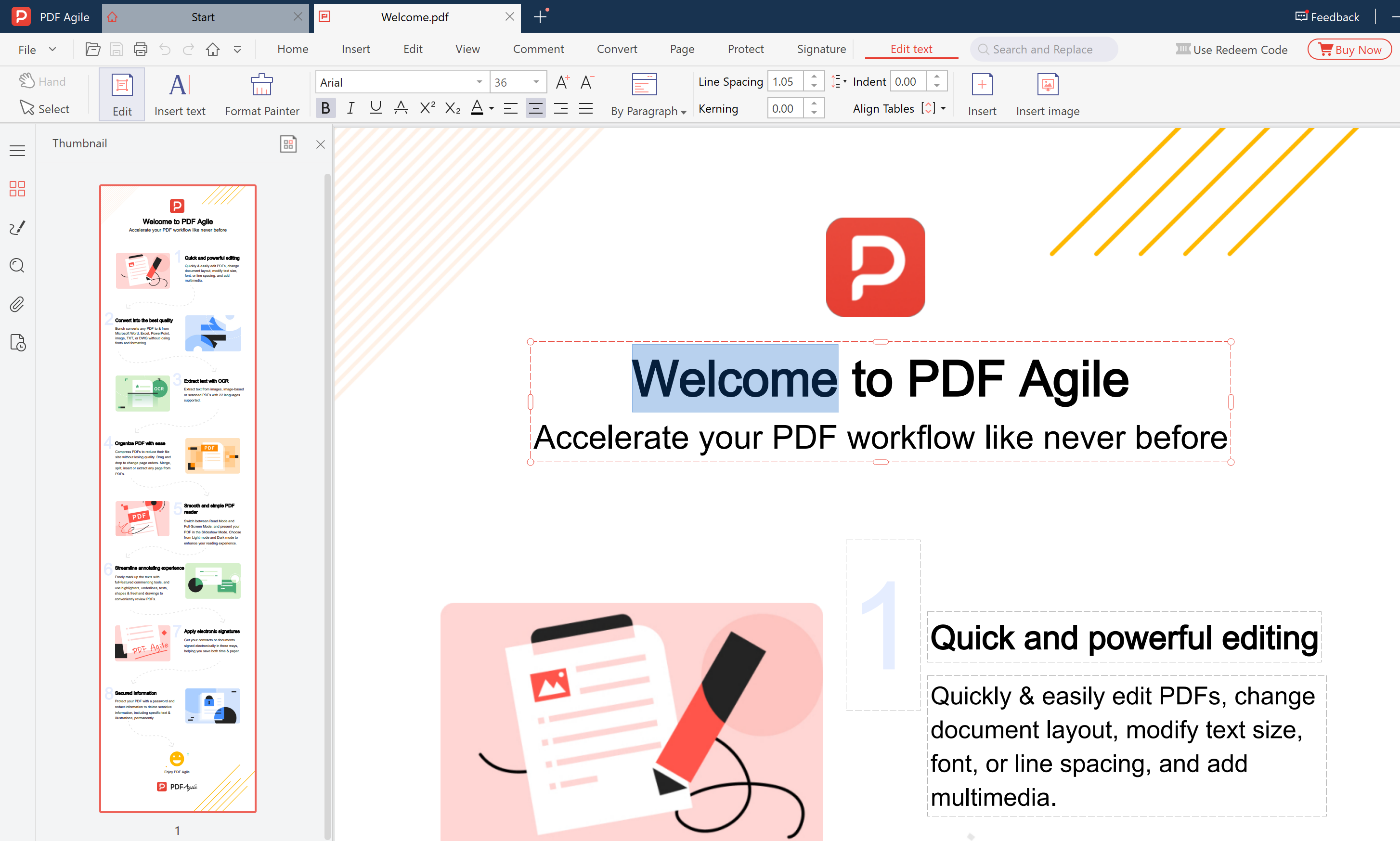
How to edit existing text in a PDF file using PDF Agile text editor

Click Any Text. Start Typing.

No need to convert your PDF to Word first. Click any text block and edit it right there — change words, fix typos, update numbers.
  • Reflow text across paragraphs & pages
  • Change font, size, color instantly
  • Full undo/redo history
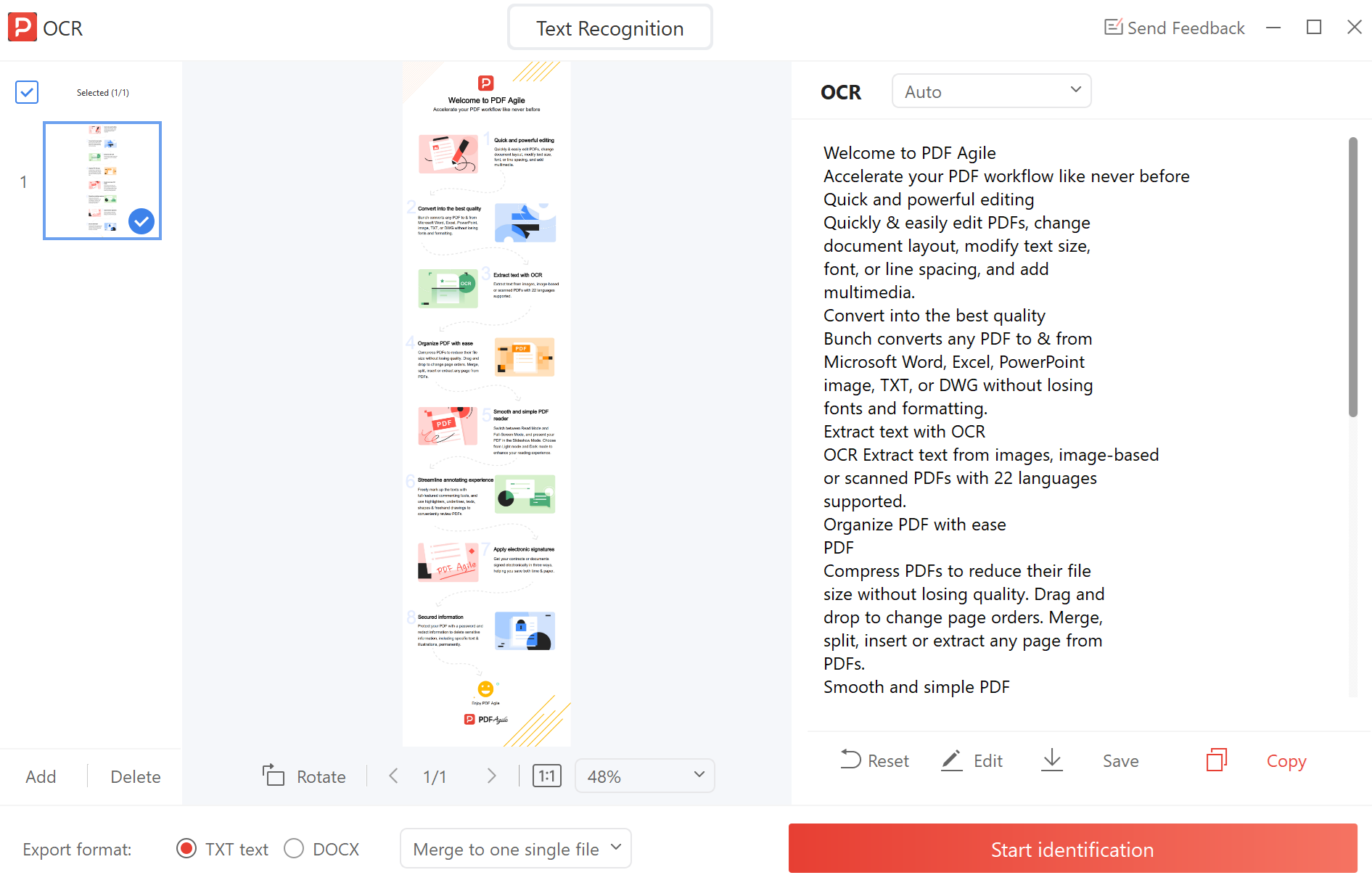
How to use OCR to extract and edit text from scanned PDF documents

Scanned PDF? No Problem.

Our built-in OCR engine recognizes text in scanned PDFs and makes it editable in seconds — no extra software needed.
  • 20+ languages including CJK
  • Preserves original layout
  • 100% offline — your scans stay private
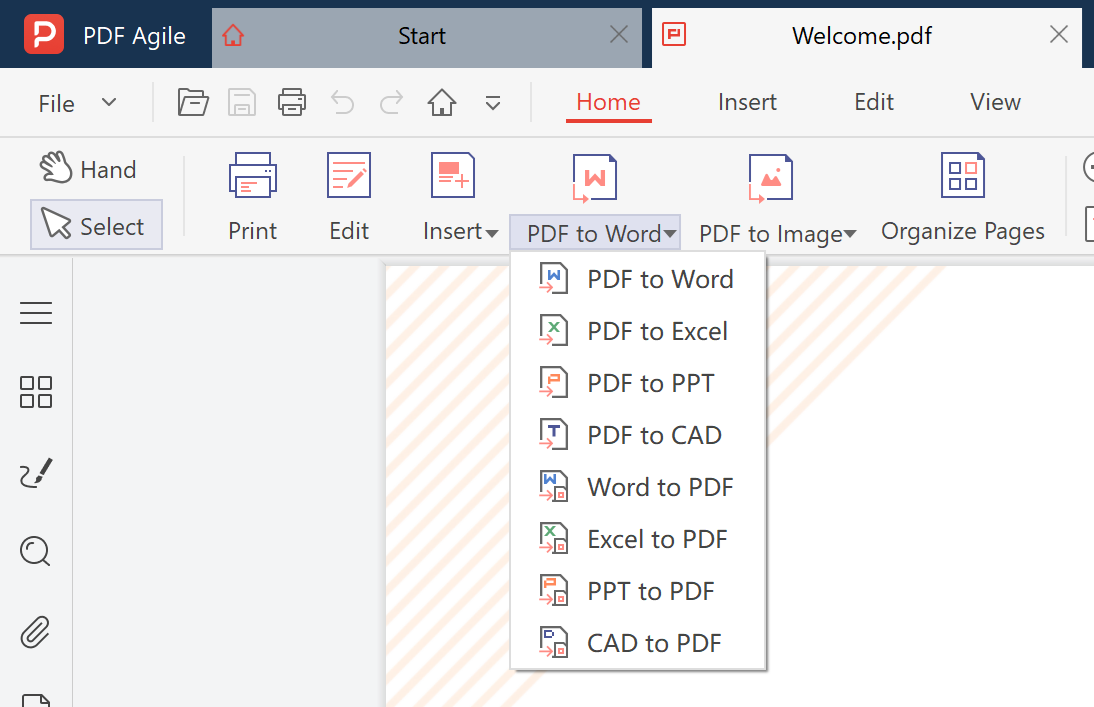
How to convert PDF to Word Excel PPT and batch edit PDF files offline

Convert, Batch Edit, Find & Replace

Convert PDF ↔ Word/Excel/PPT with formatting preserved, or use find-and-replace across the entire document.

  • Batch process 100+ files in one click
  • Find & replace across all pages
  • Export to Word, Excel, PPT, JPG

What Our Users Say

Verified reviews from G2 — real professionals, real feedback.

Verified G2 Review
★★★★★
"PDF Agile is the most fully-featured PDF editing tool you'll find — at a price that puts everything else on the market to shame. It includes powerful OCR, document converters, and an intuitive UI free of clutter and confusion."
DP
Darren P.
CTO, Small-Business
Verified G2 Review
★★★★★
"PDF Agile is very easy to use and has a comprehensive set of features. One of my daily activities is editing PDF files, and PDF Agile is very helpful in supporting my work."
AA
Alfan A.
Planning Division, Small-Business
Verified G2 Review
★★★★★
"PDF Agile has the best OCR I've used in any PDF editor. The text editing and format conversion features work perfectly together — exactly what I need for my academic research and daily teaching materials."
KR
Karthick R.
Assistant Professor, Mid-Market

How to Edit PDF Text in 3 Simple Steps

No sign-up, no cloud upload, no format conversion needed.

1

Open Your PDF

Drag & drop any PDF. It opens instantly.

Open PDF
2

Click & Edit

Click any text block. Type your changes.

Edit text
3

Save & Share

Ctrl+S to save. Print, email, or export.

Save PDF

PDF Agile vs Adobe Acrobat vs Online PDF Editors

Compare offline PDF text editors — one-time payment vs monthly subscription.

FeaturePDF AgileAdobe Acrobat ProOnline Tools
Direct text click-to-edit✓ Yes✓ Yes✗ No (most)
Font & color change✓ Yes✓ Yes✗ Limited
Offline / no upload✓ Yes✓ Yes✗ No
Pricing✓ One-time✗ $23/mo~ Limited free
OCR for scanned PDFs✓ Yes✓ Yes~ Some
Batch processing✓ Yes✓ Yes✗ No
Privacy (no cloud upload)✓ Yes✓ Yes✗ No

PDF Text Editing Guides & Tutorials

Learn how to edit, modify, and overwrite PDF text step by step.

Frequently Asked Questions

Can I edit text in a scanned PDF?

Yes. PDF Agile includes a built-in OCR engine that converts scanned images to editable text in seconds — then you can edit normally.

Is there a free trial?

Yes. You can download PDF Agile and try it out before purchasing. The free trial lets you explore the interface and test basic features.

Will my files stay private?

Absolutely. PDF Agile runs 100% offline. Your files never leave your device — no cloud upload, no server processing.

How is PDF Agile different from Adobe Acrobat?

PDF Agile covers the most-used features (text editing, OCR, conversion, organizing) at a fraction of the cost — with a one-time payment instead of a $23/mo subscription.

Edit PDF Text Offline — Fast, Private, Affordable

Join 2M+ users who edit PDF text without uploading files to the cloud.

Download Free Trial
No credit cardVirus-free & secure4.7/5 Rating
Lifetime deal — $295 $119 Learn more →